
Remote Generator Monitoring: What to Monitor, How to Filter Alarms and What It Saves
Remote generator monitoring connects each generator controller to a cloud platform through a cellular or Ethernet gateway, so status, alarms, fuel, battery voltage and run hours are visible from anywhere. Its value comes from filtering alarms into a short list of actions, catching battery and fuel problems early, and replacing routine check visits with visits that have a purpose.
In this article
Most standby generators sit at sites nobody visits unless something is wrong. The controller on each unit already knows whether it is in AUTO, whether the battery is healthy, how much fuel is left and whether the last test passed. Remote monitoring simply brings that knowledge to the people who need it, before the next outage instead of after it.
This guide covers what to monitor, how to stop a monitoring system from drowning your team in alarms, and where the savings actually come from in a fleet of dozens or hundreds of generators.
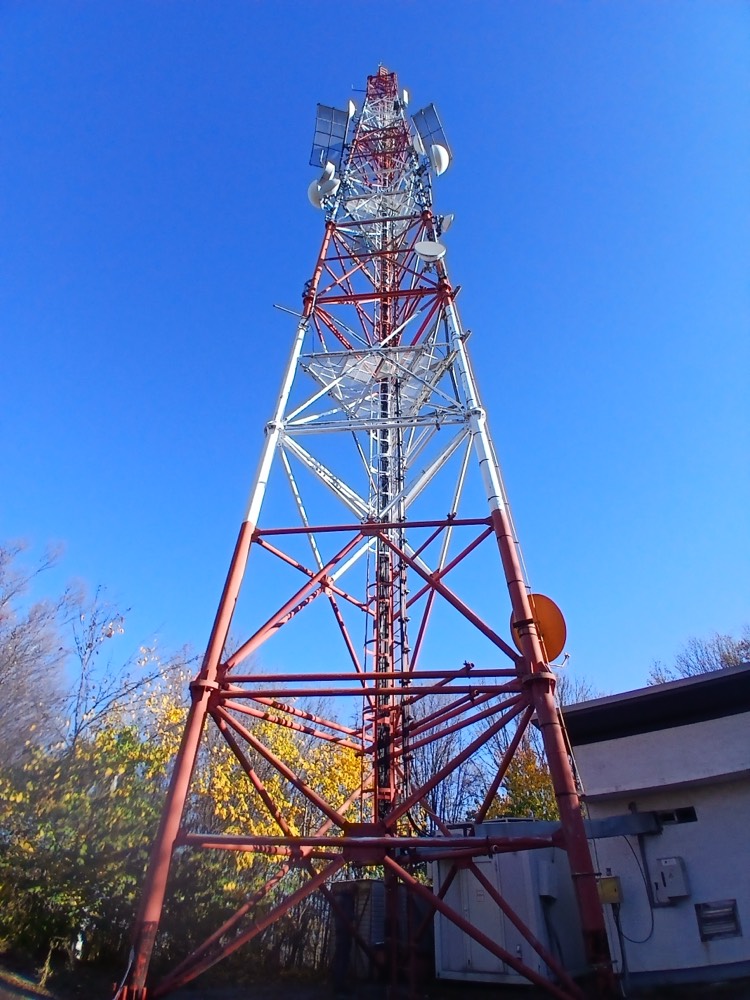
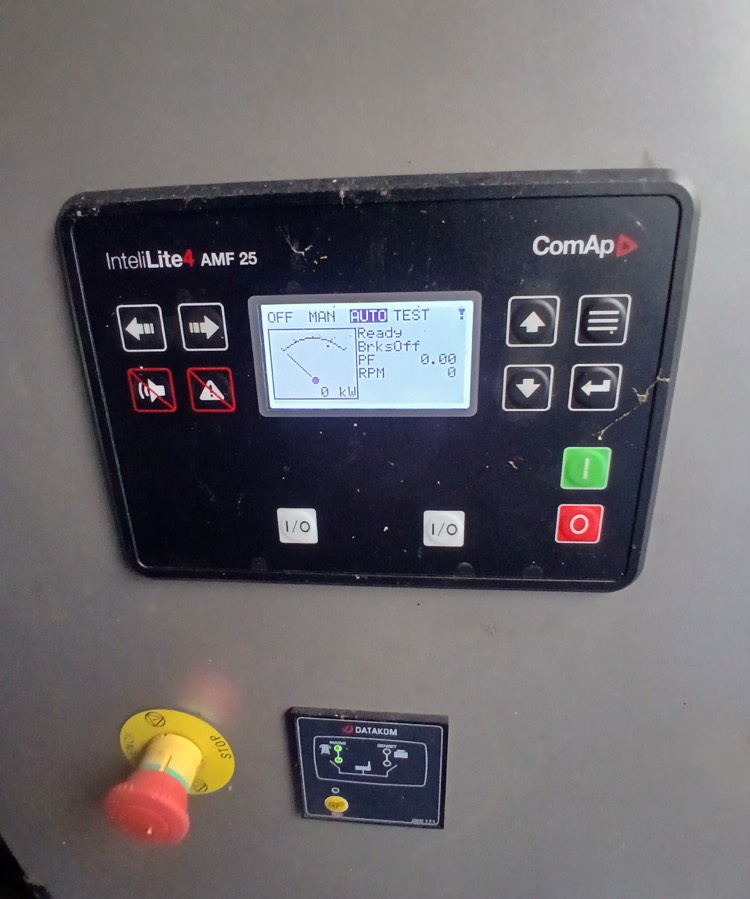
What is remote generator monitoring?
Remote generator monitoring is a system that reads data from a generator's controller and sends it to a central platform over a cellular or Ethernet connection. The platform shows the status of every unit, sends alerts when something needs attention and keeps a history of readings, alarms and tests.
A typical setup has four parts:
- The controller on the generator, which measures voltages, frequency, load, engine readings and alarms.
- A communication gateway, usually a 4G modem or an Ethernet connection, often built into or plugged into the controller.
- A cloud platform that collects the data, filters alarms and stores history.
- The people and tools that act on it: a dashboard for the control room, alerts on the phone, work orders and a field app for technicians.
What should you monitor on a generator?
Not every signal deserves an alert. The table below separates what to watch continuously from what to alert on.
| Signal | Why it matters | Alert when |
|---|---|---|
| Controller mode (AUTO, MAN, OFF) | A unit not in AUTO will not start on grid failure | Not in AUTO for longer than a site visit |
| Mains present and generator running | Shows outages and whether the generator took the load | Mains lost and generator not running |
| Shutdown and warning alarms | Shutdowns stop the engine; warnings come first | Any shutdown; warnings that stay active |
| Starting battery voltage | Battery problems are the most cited cause of failed starts | Below threshold or falling trend |
| Battery charger status | A failed charger drains the battery in days | Charger fault or no charging voltage |
| Fuel level and rate of change | Runtime reserve; theft and leaks | Below reserve level or sudden drop with engine off |
| Coolant temperature and oil pressure | Engine health during runs | Outside the manufacturer's limits |
| Load in kW or % of rating | Light load causes wet stacking; overload trips | Tests below 30% for months; overload |
| Run hours and number of starts | Drives the service plan | Service interval reached |
| Transfer switch position | Confirms the load actually moved | Position does not match the generator state |
| Test results | Proof that monthly tests happened and passed | Missed or failed test |
Optional inputs such as enclosure door contacts, fuel tank water sensors or exhaust temperature add value at sites where theft, flooding or light load are known risks.
How to filter alarms so they stay actionable
A generator controller produces far more events than any person should read. Every mode change, every short mains dip and every warning that clears itself becomes an event. Send them all to the duty engineer and within a week the alerts are ignored, including the real ones.
Good alarm handling follows a few rules:
- Set priorities. Separate shutdowns and critical conditions (generator failed to start, running out of fuel) from warnings and from information events.
- Remove duplicates and flapping. The same alarm repeating every few minutes should become one event with a count.
- Use delays where they make sense. A mains dip of two seconds is not an outage. A low battery reading during cranking is normal.
- Suppress events during known work. When a technician is on site or a test is running, expected alarms should be logged but not escalated.
- Escalate what stays unresolved. If a critical alarm is not acknowledged or cleared within a set time, it moves to the next person.
- Turn alarms into work. An alarm that needs a site visit should create a work order with the site, the alarm history and the likely parts.
What does remote generator monitoring save?
The savings in a fleet come from a handful of places. Each one can be measured with your own numbers.
Fewer wasted site visits. Routine trips just to check that a unit is in AUTO, read the fuel gauge or confirm a test are replaced by data. Technicians go to sites that need hands-on work.
Fewer emergency callouts. Battery, charger and fuel problems are caught days or weeks ahead and fixed on a planned visit, which is cheaper than a night callout and far cheaper than a failed start during an outage.
Better fuel logistics. Refuelling is planned from actual levels and consumption instead of fixed rounds, and theft or leaks show up the same day.
Proof for audits and clients. Every test, alarm and response is logged with time stamps, which is what NFPA 110 records, service contracts and SLA reports require.
Longer engine life. Load data shows which units run too lightly and need a load bank test, and run hours keep the service plan on time.
A simple way to estimate the value for your fleet:
| Item | How to estimate it |
|---|---|
| Check visits avoided | Number of routine check visits per year × cost per visit (travel, time, vehicle) |
| Emergency callouts avoided | Callouts per year caused by battery, charger or fuel × (callout cost minus planned visit cost) |
| Fuel saved | Fuel lost to theft and leaks per year + fewer partial refuelling trips |
| Outage penalties avoided | SLA penalties or lost revenue per failed start × failed starts prevented |
How to choose a remote generator monitoring system
- Controller compatibility. Check that the system reads the controllers you already have, across brands and models, not only one manufacturer.
- Communication. 4G with a fallback, or Ethernet where the site has it. Ask what happens when the connection drops: the gateway should buffer data and send it later.
- Security. The gateway should connect out to the platform over an encrypted link, with no open ports at the site and no default passwords.
- Alarm handling. Priorities, delays, suppression during maintenance and escalation rules should be configurable per site and per alarm.
- Maintenance link. Alarms and run hours should feed work orders and the service plan directly, not a separate system.
- Field app. Technicians should see the site history and alarms on the phone and log readings and photos at the site.
- Data ownership and API. You should be able to export history and connect the platform to your ERP or ticketing system.
Frequently asked questions
What is remote generator monitoring?
Remote generator monitoring is a system that reads data from a generator's controller and sends it over a cellular or Ethernet link to a central platform. It shows the status of each unit, sends alerts and keeps a history of readings, alarms and tests.
Can I monitor a generator from my phone?
Yes. Most monitoring platforms have a mobile app or a mobile web view that shows status, fuel, battery voltage and alarms, and sends push notifications or SMS when something needs attention.
Do I need internet at the generator site?
No fixed internet is needed. Most remote sites use a 4G cellular gateway with a data SIM card. Sites with a reliable local network can use Ethernet instead.
Can remote monitoring start a generator remotely?
Many systems can send start, stop and test commands to the controller. Remote control should be limited to authorised users and used with care, because a person could be working on the generator at the time.
Is remote generator monitoring secure?
It can be. A secure setup uses gateways that connect out to the platform over an encrypted link, with no open ports at the site, individual user accounts and up-to-date firmware.
How does remote monitoring help prevent generator failures?
It shows the early signs of most failures: falling battery voltage, a charger fault, low or disappearing fuel, a unit left out of AUTO, missed tests and tests run at too light a load. Each of these can be fixed on a planned visit before it causes a failed start.
Sources
- NFPA 110, Standard for Emergency and Standby Power Systems, chapter 8 (Routine Maintenance and Operational Testing), including record keeping for inspections and tests.
- Generator controller and gateway manufacturers' documentation for the specific models in your fleet.
- Related reading: generator maintenance schedule and checklist and wet stacking in diesel generators.

See every generator's status and service plan in one place
GenSetCare reads alarms, fuel and run hours from the controller, schedules service by run hours and calendar, and gives technicians a field app with live checklists.